Skip to content
Vibhrav Jha.Let’s talk

DermaNet

Offline classification and follow-up explanations

My implementation
2 servicesClassification API and local LLM serving within a 3-person team.

My contributionONNX classification service and local LLM-serving layer. Teammates built the frontend, segmentation and orchestration.

FieldML & AI / Fullstack

View repository

Team hackathon prototype · exploratory skin-lesion analysis
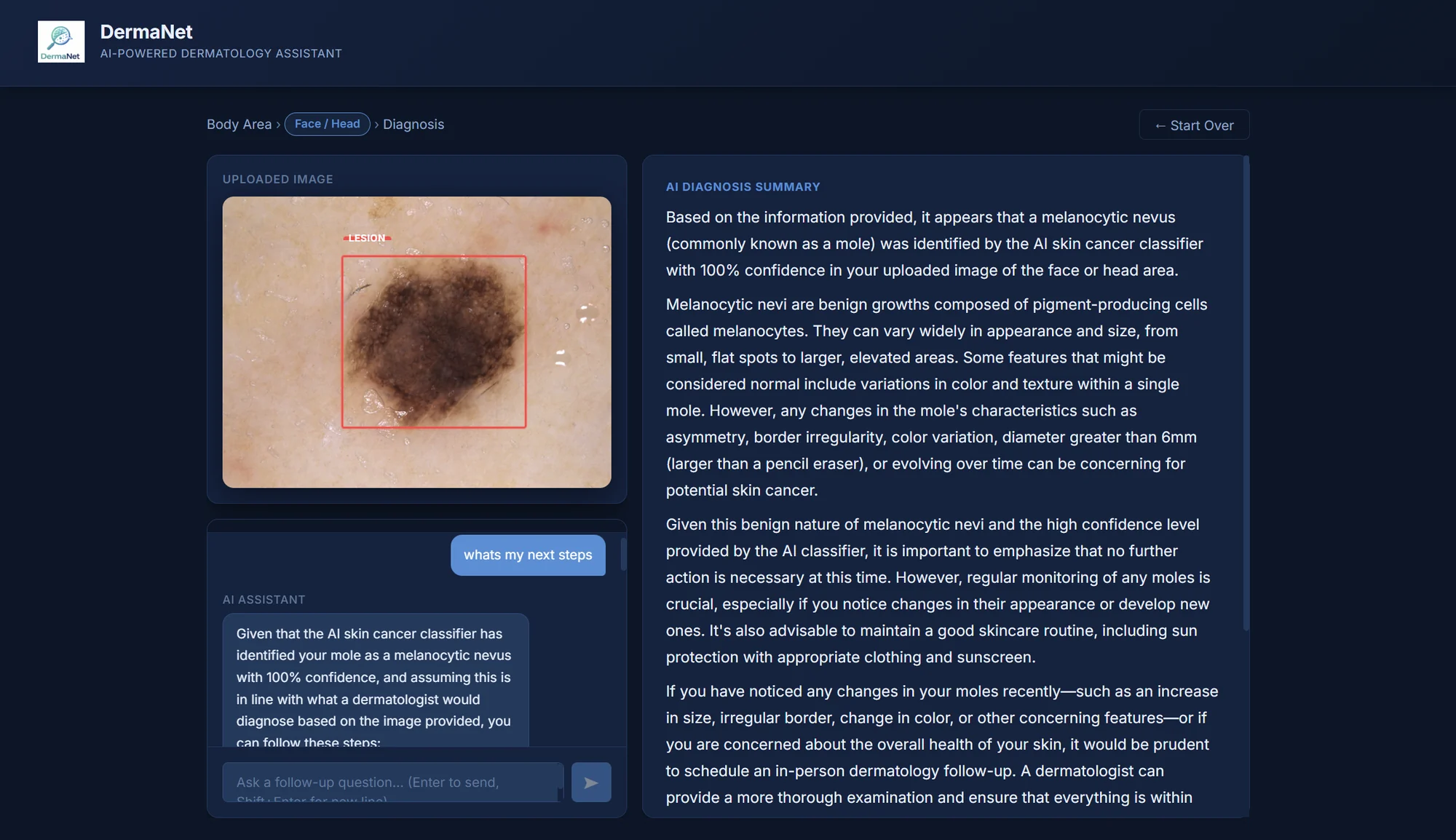
DermaNet hackathon prototype showing classification output and a generated explanation

The work
behind the interface.

Enabled offline lesion classification and follow-up explanations by building the ONNX classification API and local LLM service within a three-person team prototype.

  • Python
  • FastAPI
  • ONNX Runtime
  • Ollama
  • Qwen2.5-3B

The result

Classification and local conversation services integrated into the team’s image-to-summary prototype.

The problem

An image classifier returns probabilities, but a person still needs help interpreting the result. In a three-person team, I built the classification API and local language-model service for an offline skin-lesion analysis prototype with summaries and follow-up questions.

A decision worth examining

Use a local model behind an OpenAI-compatible interface so the explanation service fits into the wider application.

The approach

The classification endpoint exposes ONNX inference through FastAPI. A separate OpenAI-compatible service wraps Ollama and Qwen2.5-3B, with a Python client and CLI for testing the conversation flow. Keeping model serving behind a defined API let the team connect image analysis and language generation while developing the services independently.

A closer look.

Interface details and context from the project.
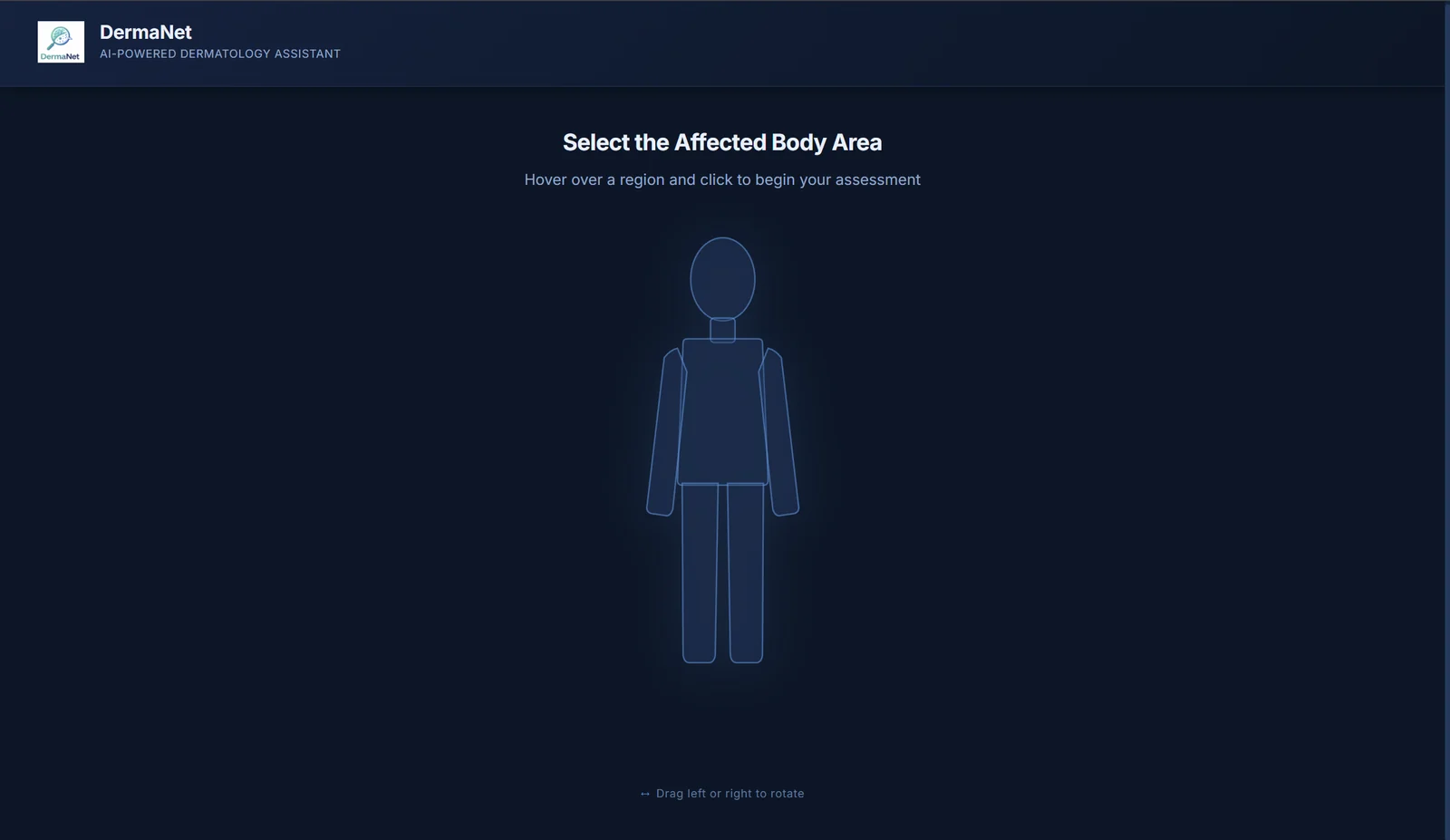
DermaNet body-area selection interface
The hackathon prototype’s body-area selection step.
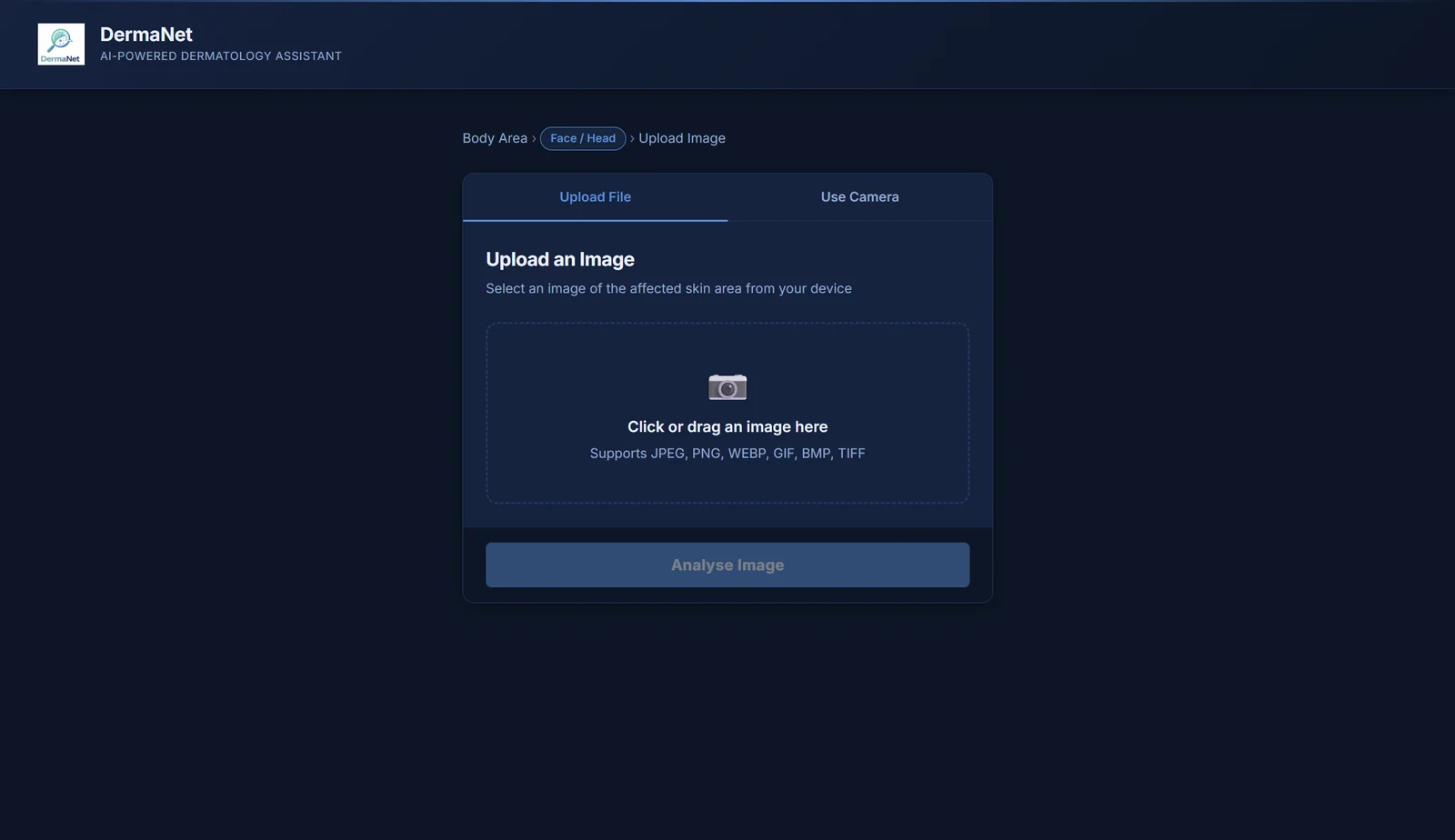
DermaNet image-upload interface
The image-upload step before exploratory classification.
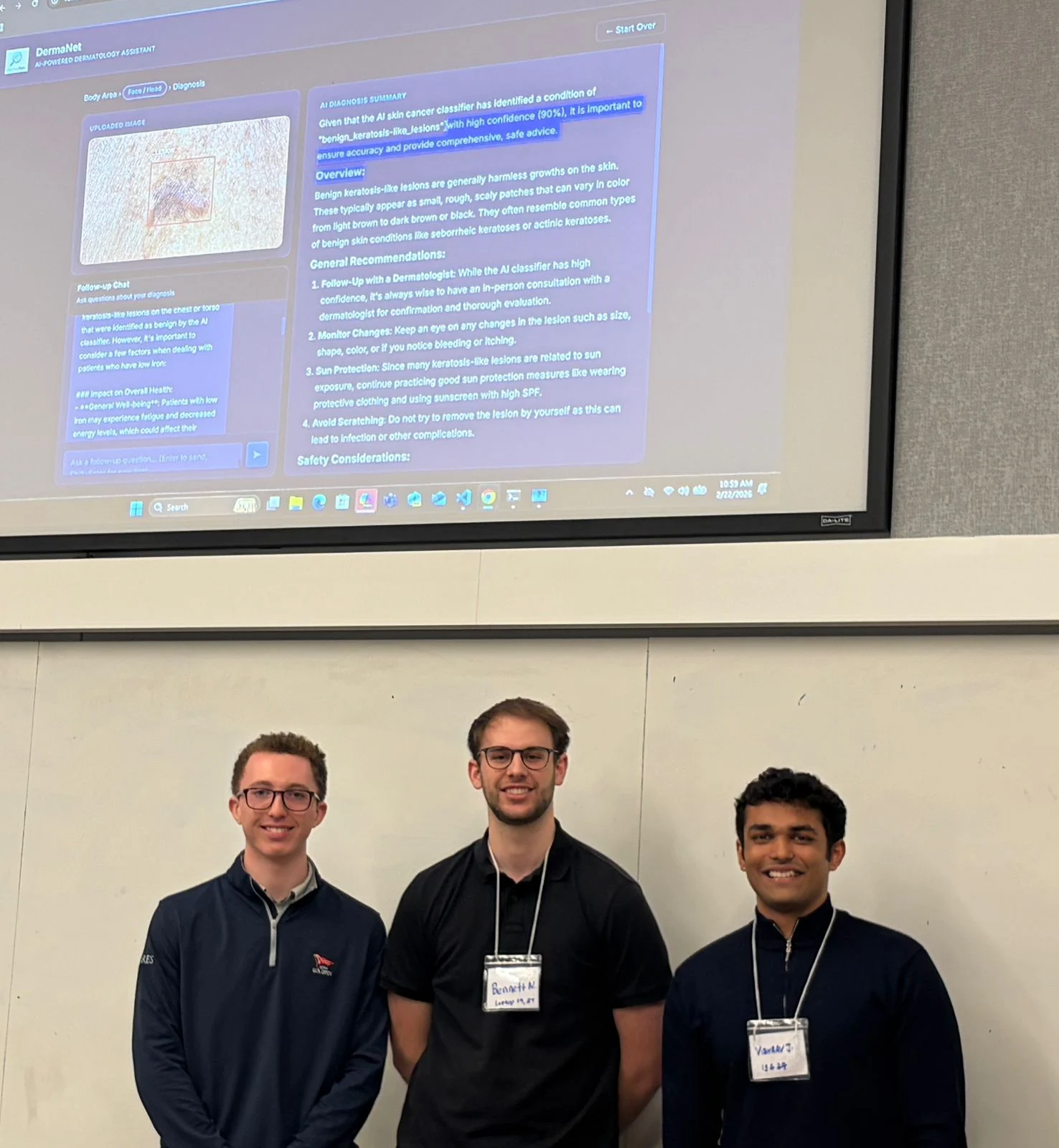
The three-person DermaNet team presenting the hackathon prototype
Our three-person team presenting DermaNet. I built the classification API and local language-model service.

Read the README.

View original README
READMEArchitecture, setup and usage

MadData2026

Team Members

End-to-end skin lesion analysis demo application with:

  • Frontend web app (React + Vite)
  • Inference API (segmentation + classification ONNX pipeline)
  • Orchestrator API (session + prompts + diagnosis/chat flow)
  • Local LLM API wrapper (OpenAI-compatible endpoint backed by Ollama)

The application flow is:

  1. User selects body area
  2. User uploads/captures image
  3. Segmentation + classification run on the Inference API
  4. Orchestrator builds diagnosis prompt and calls local LLM
  5. User asks follow-up questions in chat

Application Description

MadData2026 is a local-first dermatology triage demo intended for hackathon and offline scenarios. It combines computer vision (lesion localization + classification) with an LLM-generated summary and follow-up Q&A interface.

Services and Ports


Prerequisites

This guide is written for Windows PowerShell and matches the current startup script.

Install the following first:

  1. Python 3.10+ (3.12 recommended)
  2. Node.js 18+ (includes npm)
  3. Git
  4. Ollama for Windows

Ollama install (winget):

winget install -e --id Ollama.Ollama --source winget

Full Setup (One-Time)

1) Clone the repository

git clone <your-repo-url>
cd MadData2026

2) Create the Python environment expected by startup script

The launcher expects this exact interpreter path:

Backend\Inference\.venv-qnn\Scripts\python.exe

Create it:

python -m venv Backend\Inference\.venv-qnn

Activate it:

Backend\Inference\.venv-qnn\Scripts\Activate.ps1

Upgrade pip:

python -m pip install --upgrade pip

3) Install Python dependencies for all backend services

Install Inference dependencies:

python -m pip install -r Backend\Inference\requirements.txt

Install Orchestrator dependencies:

python -m pip install -r Backend\src\requirements.txt

Install Local LLM wrapper dependencies:

python -m pip install -r Backend\Local_llm\requirements.txt

If you are running Snapdragon NPU/QNN inference, install your QNN-enabled ONNX Runtime wheel as needed for your device.

4) Install frontend dependencies

npm.cmd --prefix Frontend install

5) Prepare inference models

The inference service needs classifier + segmenter models available in Backend\Inference\models.

If models are not already present, run:

cd Backend\Inference
..\.venv-qnn\Scripts\python.exe download_hf_models.py --out-dir models
cd ..\..

Optional (if you need to export classifier ONNX from HF snapshot):

Backend\Inference\.venv-qnn\Scripts\python.exe Backend\Inference\export_hf_to_onnx.py

6) Ensure Ollama is installed and model is available

The startup script will auto-pull the configured model (qwen2.5:3b by default). You can also pre-pull manually:

"$env:LOCALAPPDATA\Programs\Ollama\ollama.exe" pull qwen2.5:3b

Qualcomm Hackathon: Classifier Optimization on Snapdragon (AI Hub Workbench)

This project includes a dedicated Workbench workflow script to optimize and validate the classifier for Snapdragon targets:

  • Script: Backend/Inference/ai_hub_workbench.py
  • Workbench requirements: Backend/Inference/requirements.workbench.txt

This flow performs the canonical Qualcomm AI Hub pipeline:

  1. Load and trace classifier model
  2. Compile for target runtime/device
  3. Run on-device inference job
  4. Run on-device profile job
  5. (Optional) INT8 quantization and re-compile/profile

Why this matters for hackathon judging

The profile job URL/output is your evidence that the optimized model was compiled and profiled on Qualcomm-supported target hardware/runtime.

A) Install Workbench dependencies

Use the same Python environment used by your inference stack:

Backend\Inference\.venv-qnn\Scripts\Activate.ps1
python -m pip install -r Backend\Inference\requirements.workbench.txt

B) Configure Qualcomm AI Hub authentication

Option 1 (recommended helper script in repo):

cd Backend/Inference
bash setup_qaihub_auth.sh

Option 2 (manual):

qai-hub configure --api_token <YOUR_QAIHUB_API_TOKEN>

C) Run classifier compile + inference + profile

From repo root:

Backend\Inference\.venv-qnn\Scripts\python.exe Backend\Inference\ai_hub_workbench.py --device "Samsung Galaxy S25 (Family)" --runtime tflite

What you will get in terminal output:

  • Compile job URL
  • Inference job URL
  • Profile job URL
  • Top-K predictions from on-device execution

Save those URLs/screenshots for your hackathon submission deck.

D) Optional INT8 quantization path

If you want a quantized variant for better edge performance:

Backend\Inference\.venv-qnn\Scripts\python.exe Backend\Inference\ai_hub_workbench.py --device "Samsung Galaxy S25 (Family)" --runtime tflite --quantize --calibration-dir "Backend/Inference/imagenette_samples/images" --calibration-samples 100

Quantization flow adds:

  • ONNX compile (pre-quantize)
  • Quantize job (INT8 weights + activations)
  • Quantized compile job
  • Quantized inference + profile jobs

E) How this relates to the local app run

  • Workbench flow is for optimization/profiling validation on Qualcomm infrastructure/targets.
  • Your one-command local app run remains:
powershell -ExecutionPolicy Bypass -File start_all_services.ps1
  • Inference API still serves segmentation/classification locally on port 8000.
  • Orchestrator + local LLM stack remain unchanged.

Include these in your hackathon presentation:

  1. Compile job URL and success status
  2. Profile job URL showing target runtime/device
  3. Before/after (float vs quantized) profile comparison
  4. End-to-end app demo video using the same classifier pipeline

Run Everything (Single Command)

From repo root, run:

powershell -ExecutionPolicy Bypass -File start_all_services.ps1

This command launches:

  • Ollama daemon (if not already running)
  • Local LLM API on port 9000
  • Inference API on port 8000
  • Orchestrator API on port 8080
  • Frontend on port 3000

Open:

http://127.0.0.1:3000

Optional launcher parameters

If your repo path differs from the default or you want a different model:

powershell -ExecutionPolicy Bypass -File start_all_services.ps1 -RepoRoot "C:\path\to\MadData2026" -ModelName "qwen2.5:3b"

Run and Usage Instructions

UI flow

  1. Open the app at http://127.0.0.1:3000
  2. Select a body area on the silhouette
  3. Upload an image (or use camera if enabled in browser)
  4. Click analyze/detect
  5. Review diagnosis summary on the right panel
  6. Ask follow-up questions in chat on the left panel

Expected behavior

  • Bounding box overlays on uploaded image if lesion segmentation is detected
  • Diagnosis summary renders markdown formatting
  • Chat is session-based per diagnosis run
  • Chat history scrolls internally when long

API Overview

Inference API (port 8000)

  • GET /health
  • POST /infer (multipart field: file or image)
  • POST /infer/debug

Orchestrator API (port 8080)

  • POST /api/body-part
  • POST /api/diagnose
  • POST /api/chat

Local LLM API (port 9000)

  • GET /health
  • POST /v1/chat/completions (OpenAI-compatible)

Verification Checklist

After startup command:

  1. Confirm frontend opens at http://127.0.0.1:3000
  2. Confirm all API ports are listening (8000, 8080, 9000, 11434)
  3. Upload a known skin lesion test image
  4. Confirm diagnosis returns with no timeout
  5. Send at least one follow-up chat message

Troubleshooting

1) ollama serve port conflict (11434)

  • Cause: another Ollama instance already bound to port
  • Current script behavior: reuses existing daemon when listener already exists

2) LLM timeout or truncated responses

  • Current defaults include higher token budget and timeouts
  • If needed, adjust in start_all_services.ps1:
    • LLM_MAX_TOKENS
    • OLLAMA_MAX_TOKENS
    • LLM_TIMEOUT_SECONDS

3) Missing Python interpreter path in startup

  • Ensure this file exists:
    • Backend\Inference\.venv-qnn\Scripts\python.exe

4) Missing model files for inference

  • Re-run model downloader:
Backend\Inference\.venv-qnn\Scripts\python.exe Backend\Inference\download_hf_models.py --out-dir Backend\Inference\models

5) npm PowerShell execution policy error

If npm fails with script policy error, use:

npm.cmd --prefix Frontend install

6) If startup script default path is wrong

Pass -RepoRoot explicitly:

powershell -ExecutionPolicy Bypass -File start_all_services.ps1 -RepoRoot "C:\Users\YourUser\MadData2026"

Project Structure (Top-Level)

MadData2026/
├─ start_all_services.ps1
├─ Backend/
│  ├─ Inference/      # Segmentation + classification API
│  ├─ Local_llm/      # Ollama wrapper API (OpenAI-compatible)
│  └─ src/            # Orchestrator API
└─ Frontend/          # React web app

Notes

  • This project is intended for demo/research workflows and is not a medical diagnostic device.
  • LLM outputs are assistive text and should be reviewed by qualified clinicians for real-world decisions.

Private-Data RAG

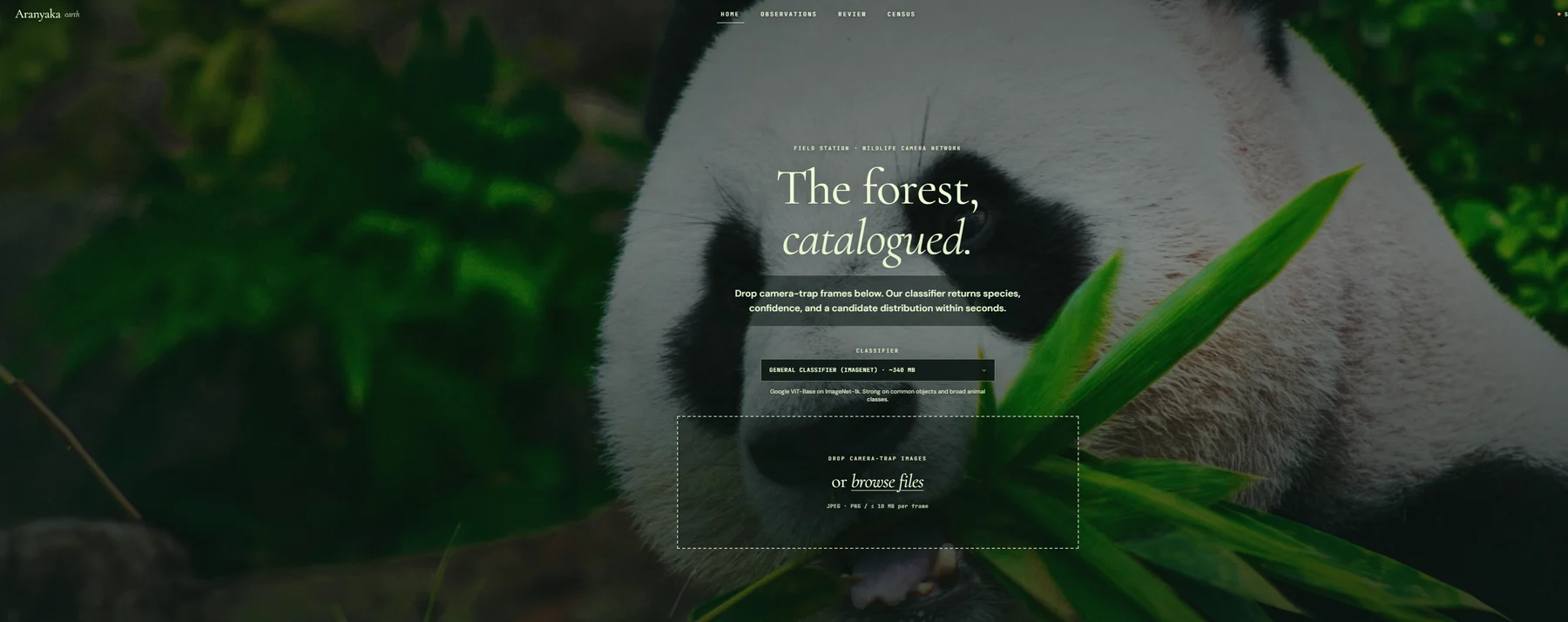
  1. Aranyaka wildlife-image application interface

    Fullstack

    Aranyaka

  2. DermaNet hackathon prototype showing classification output and a generated explanation

    ML & AIViewing

    DermaNet

  3. AI-generated concept illustration of source documents connected to retrieved evidence and an answer

    ML & AI

    Private-Data RAG

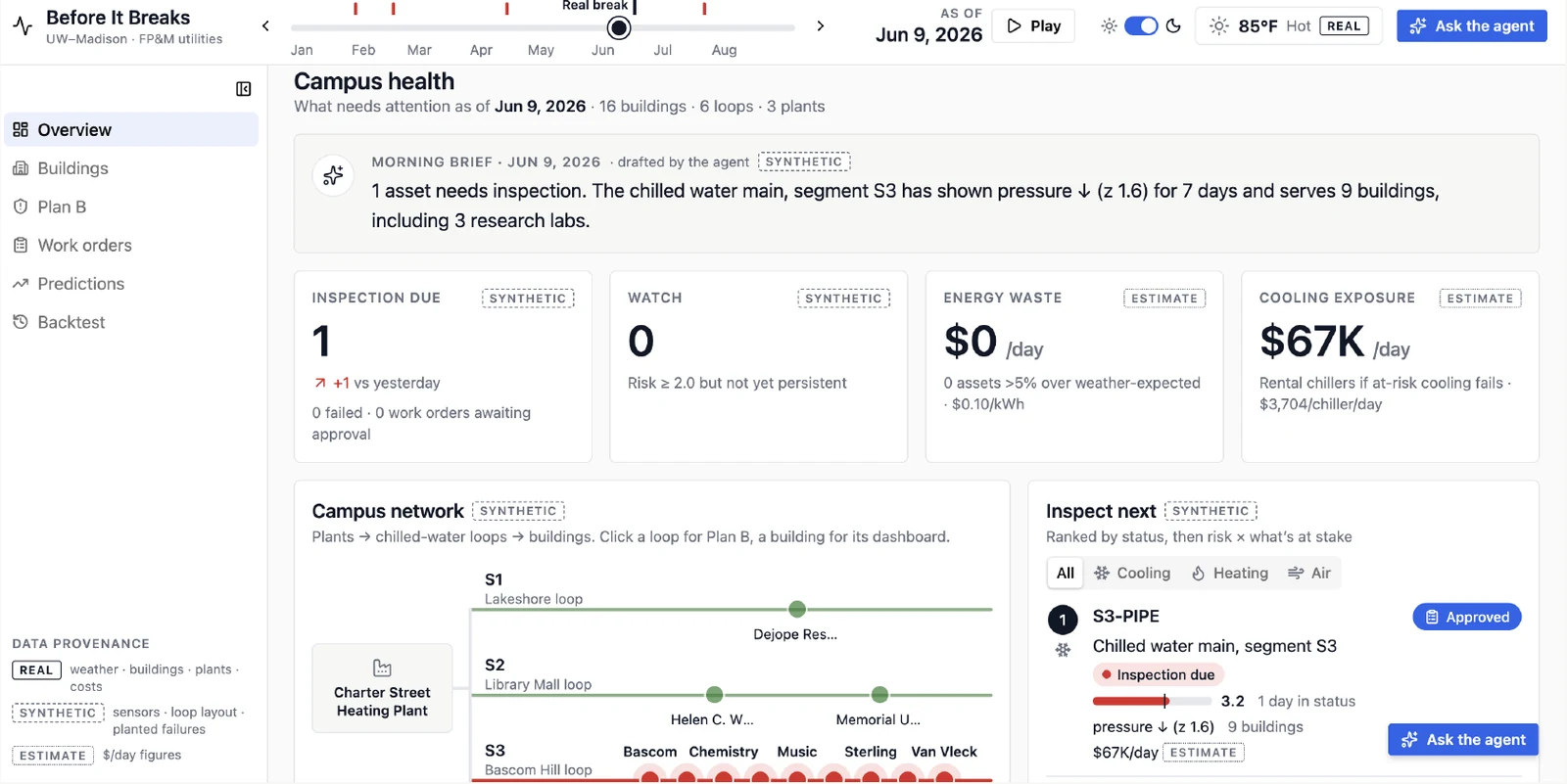
  4. Before It Breaks dashboard separating real weather from synthetic equipment telemetry and estimated costs

    ML & AI

    Before It Breaks

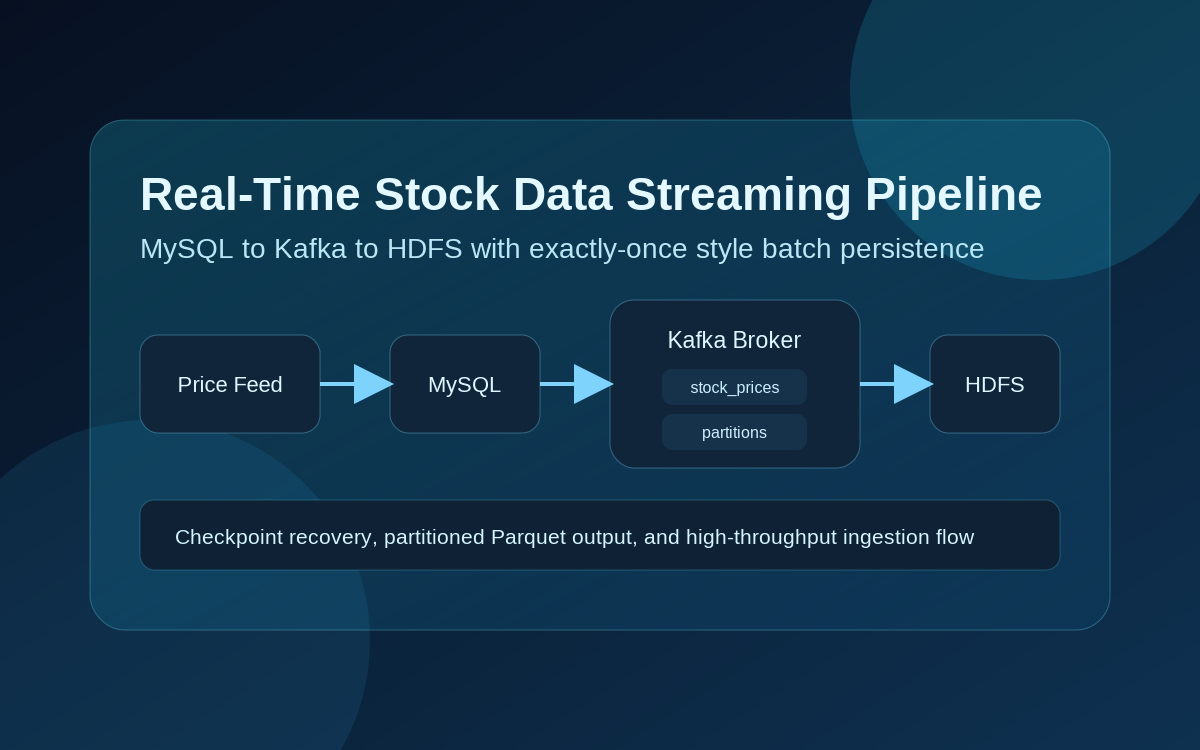
  5. Architecture diagram of simulated stock records flowing through Kafka to HDFS

    Distributed Systems

    Stock Streaming Engine

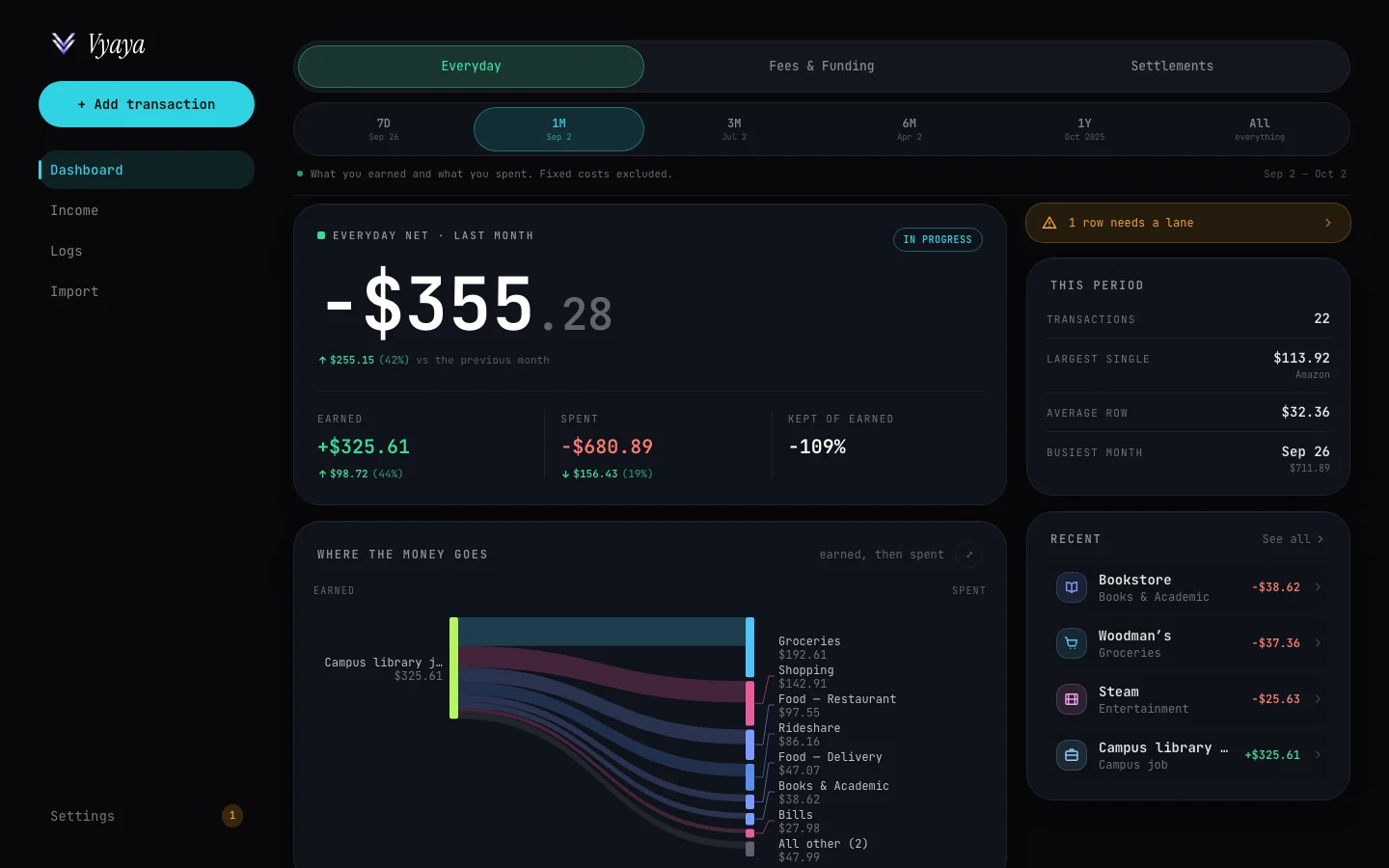
  6. Vyaya dashboard with clearly labeled synthetic demonstration data

    Fullstack

    Vyaya

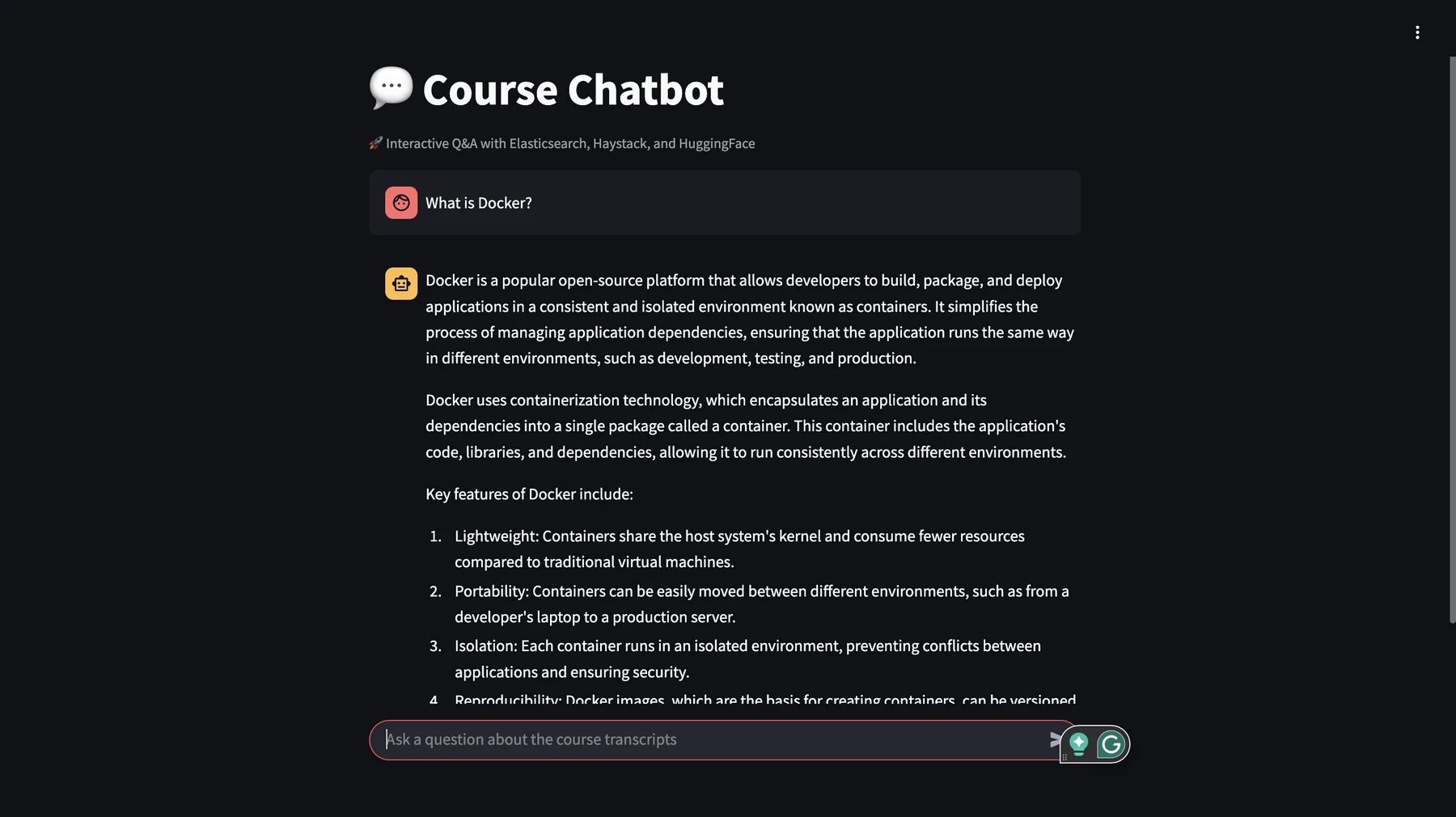
  7. Study assistant interface with retrieved source context

    ML & AI

    Fine-Tuning vs. RAG

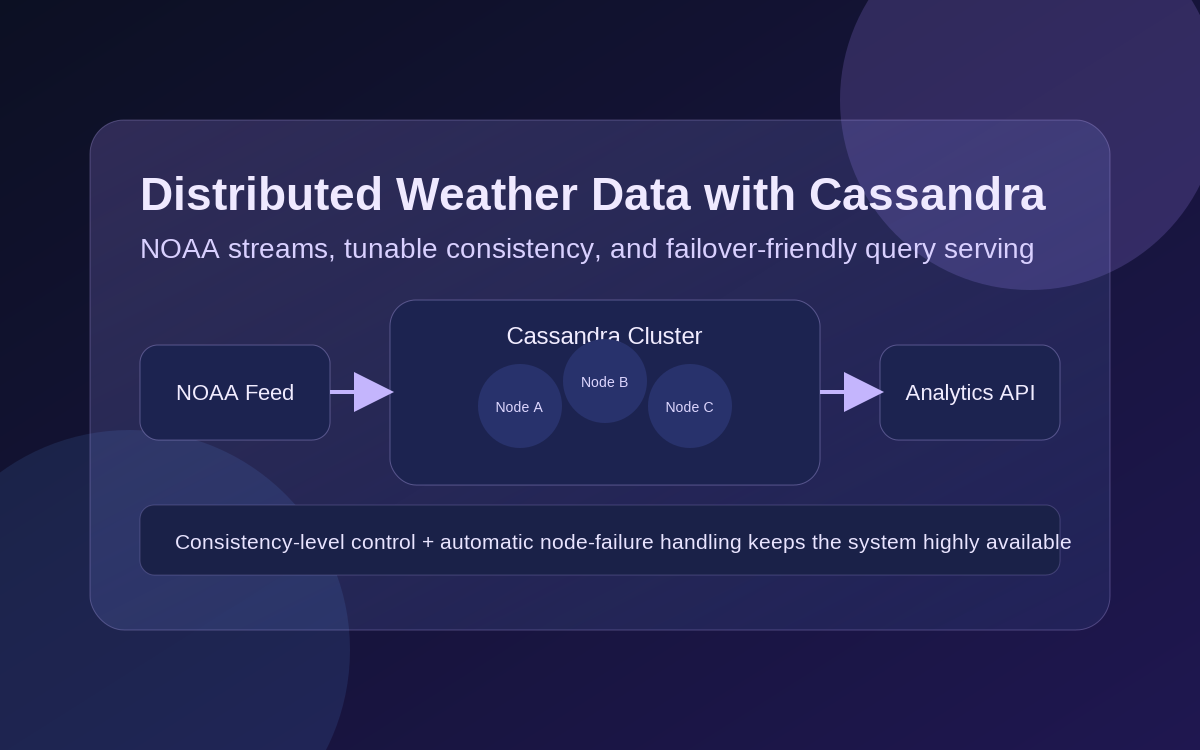
  8. Architecture diagram of NOAA data, a Cassandra cluster and a query service

    Distributed Systems

    Distributed Weather Data System

  9. Distributed Property Lookup Service project image

    Distributed Systems

    Distributed Property Lookup Service

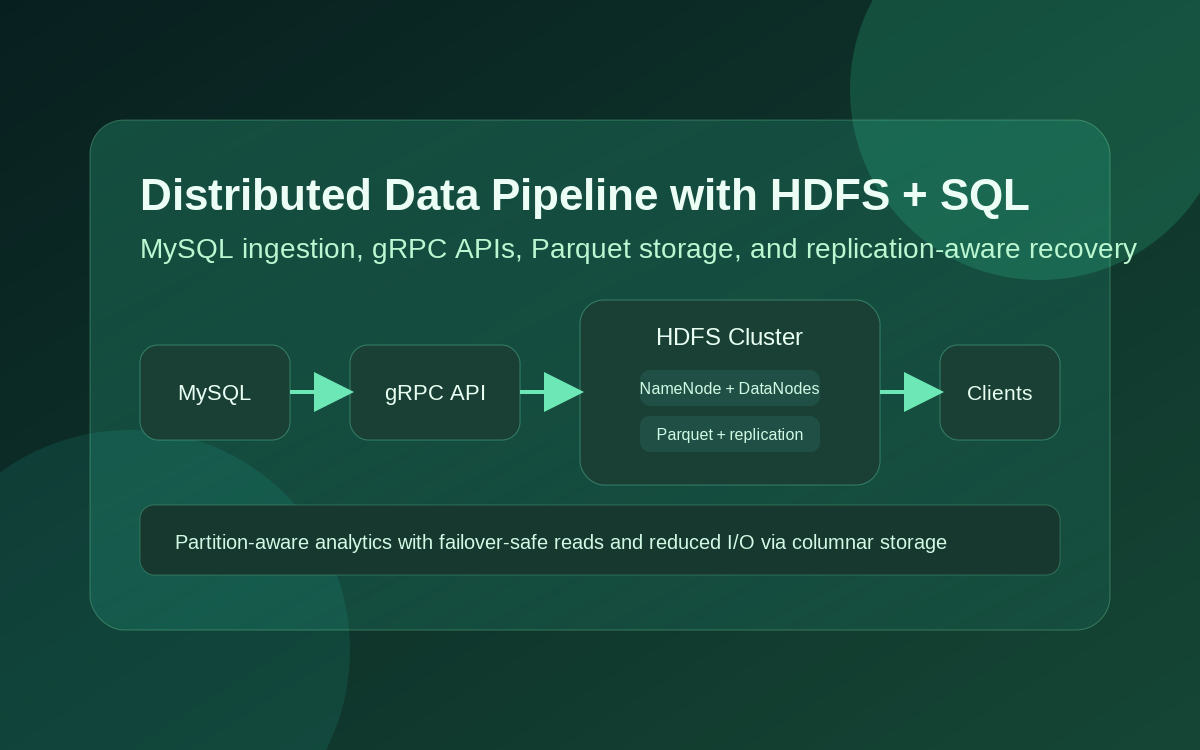
  10. Architecture diagram connecting MySQL, a gRPC service and HDFS storage

    Distributed Systems

    HDFS & SQL Pipeline

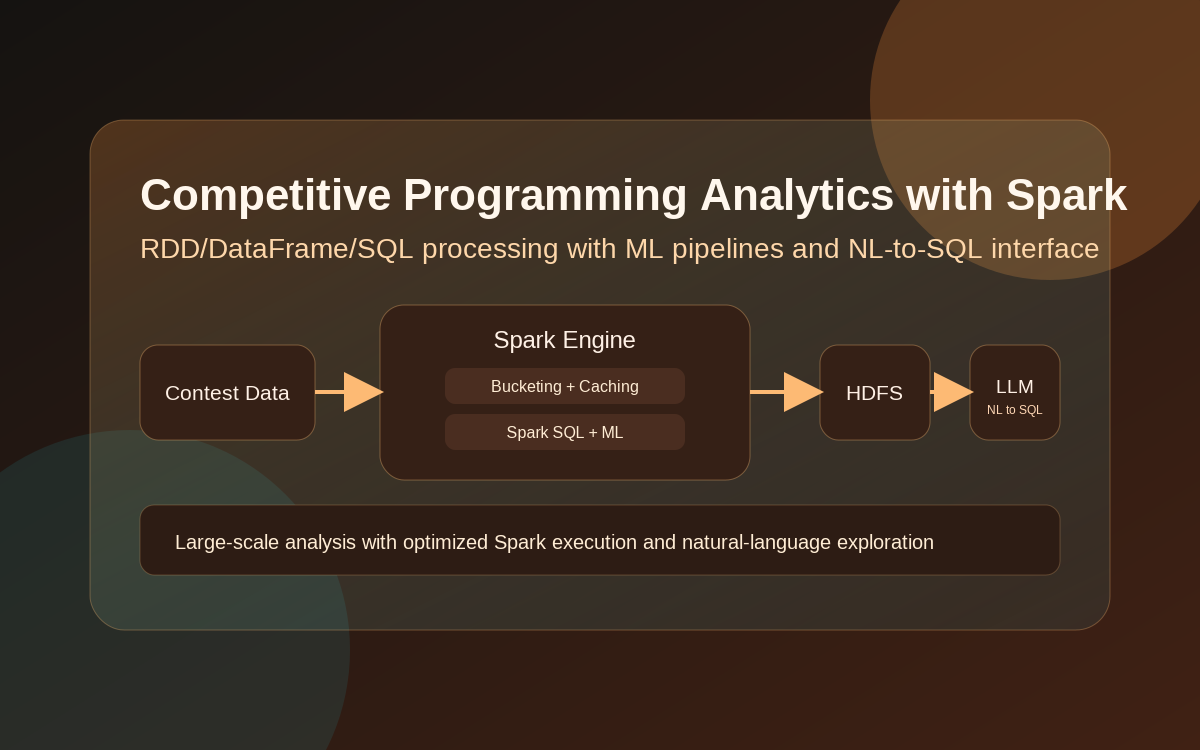
  11. Architecture diagram of Spark processing, SQL and analysis

    Distributed Systems

    Spark Analytics

  12. Multi-Source ELT Pipeline project image

    Data Engineering

    Multi-Source ELT Pipeline

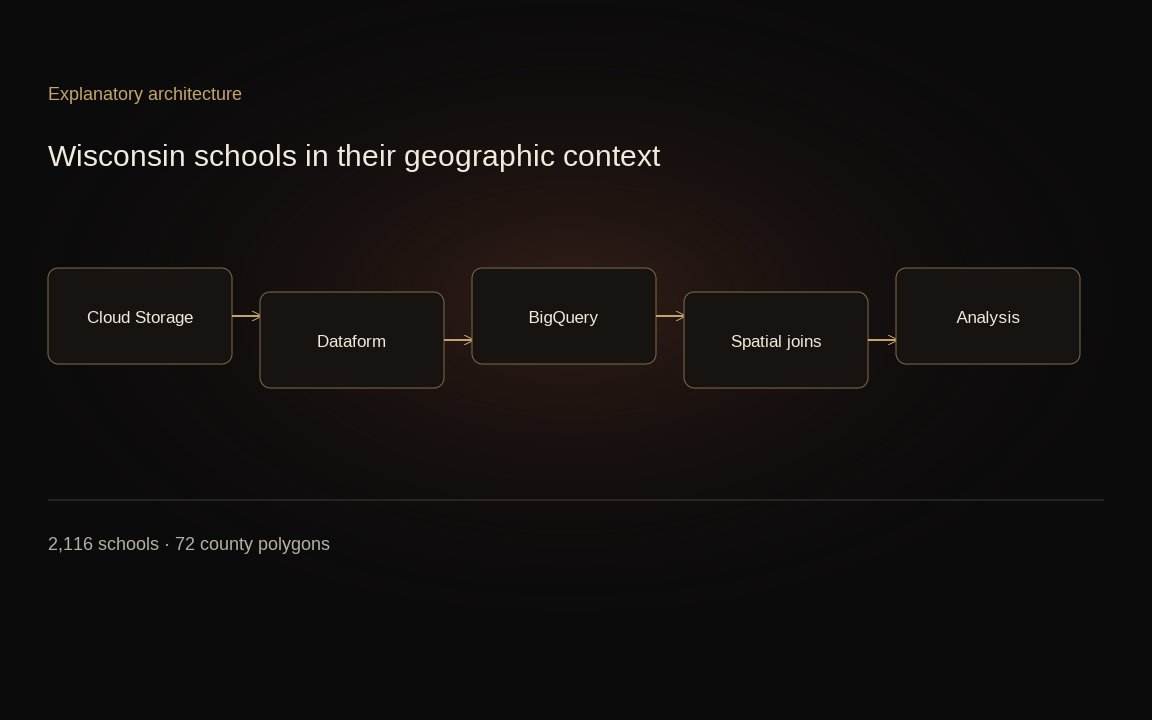
  13. Wisconsin schools in their geographic context — explanatory architecture diagram

    Data Engineering

    GCP Geospatial Pipeline

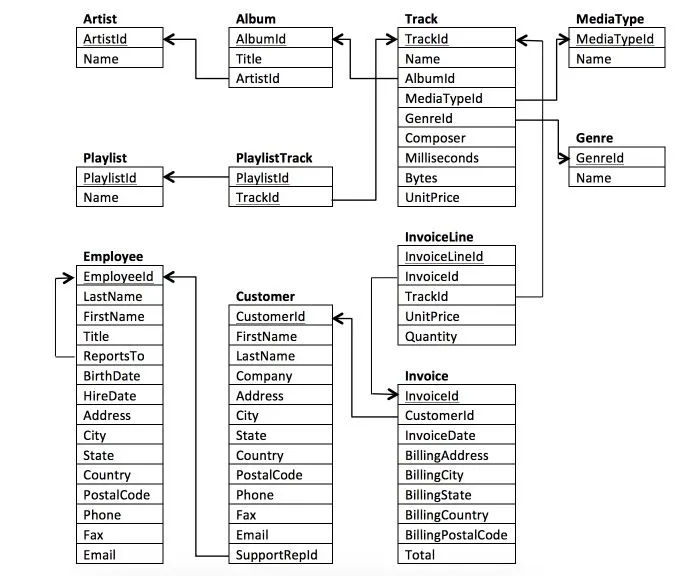
  14. Chinook Music Store SQL Analytics project image

    Data Engineering

    Chinook Music Store SQL Analytics

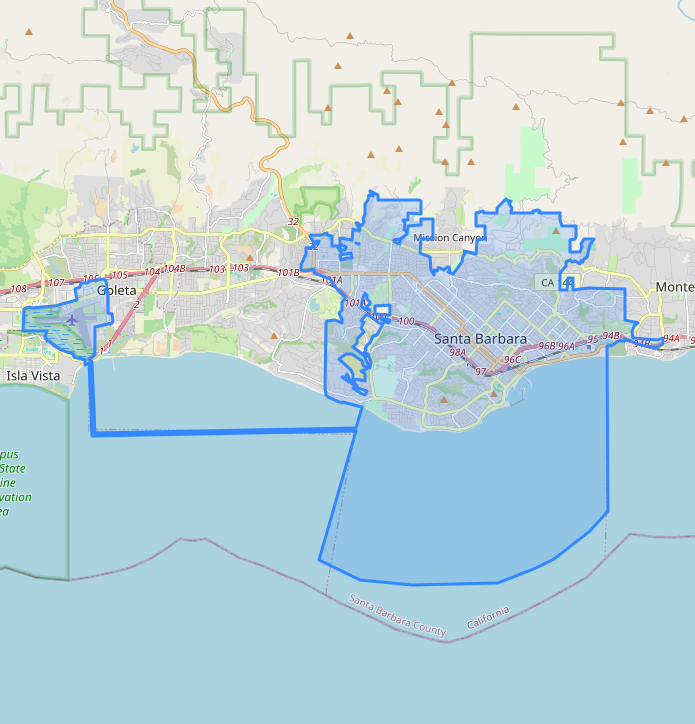
  15. Yelp Geospatial Analytics project image

    Data Engineering

    Yelp Geospatial Analytics

  16. E-Commerce Semantic Search Engine project image

    Data Engineering

    E-Commerce Semantic Search Engine

  17. Retail Sales Forecasting project image

    ML & AI

    Retail Sales Forecasting

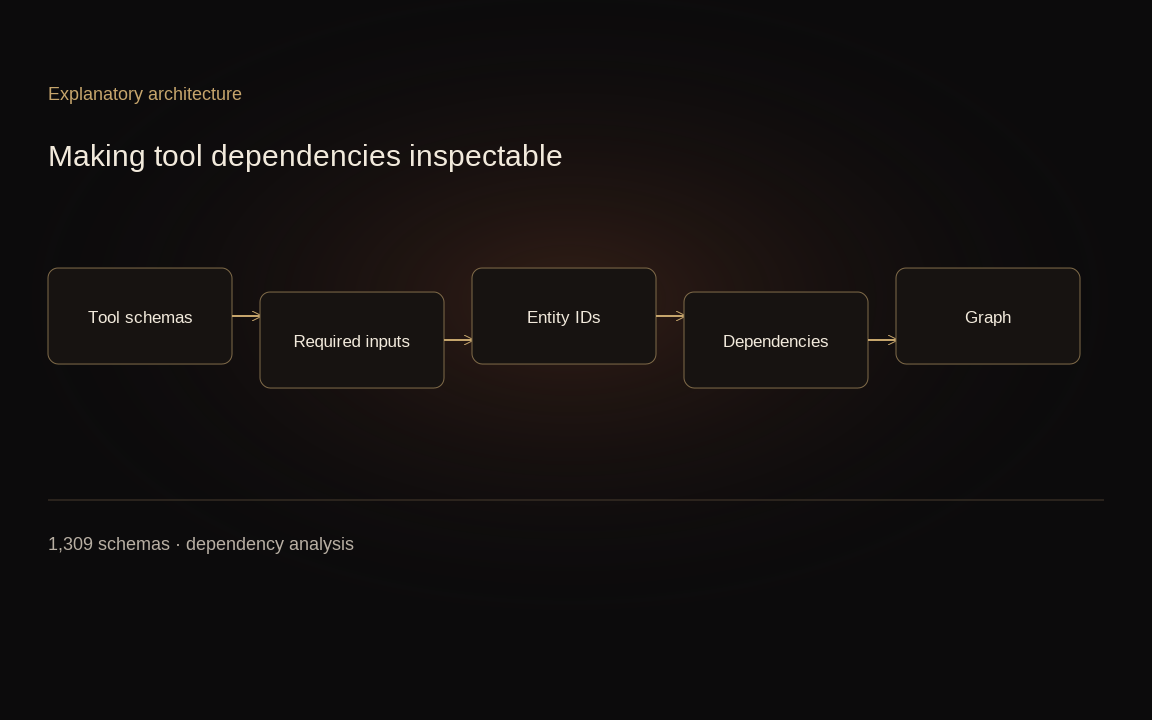
  18. Making tool dependencies inspectable — explanatory architecture diagram

    ML & AI

    AI Agent Tool Dependency Graph

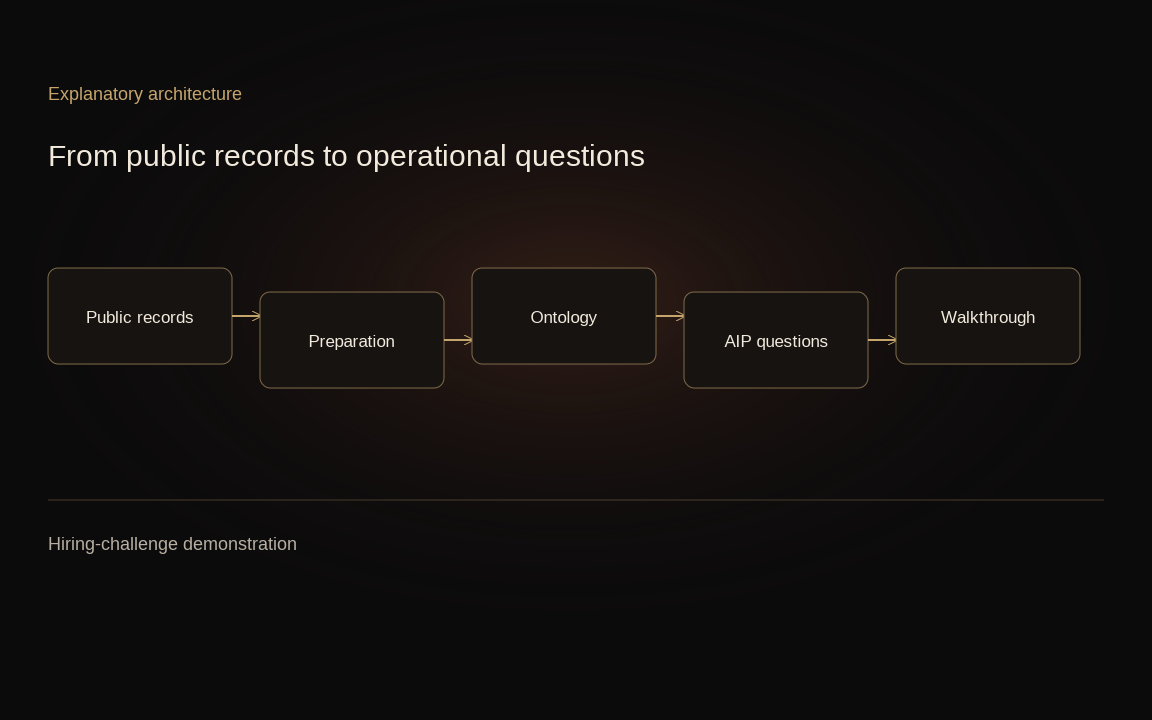
  19. From public records to operational questions — explanatory architecture diagram

    Data Engineering

    Palantir Foundry and AIP Build Challenge

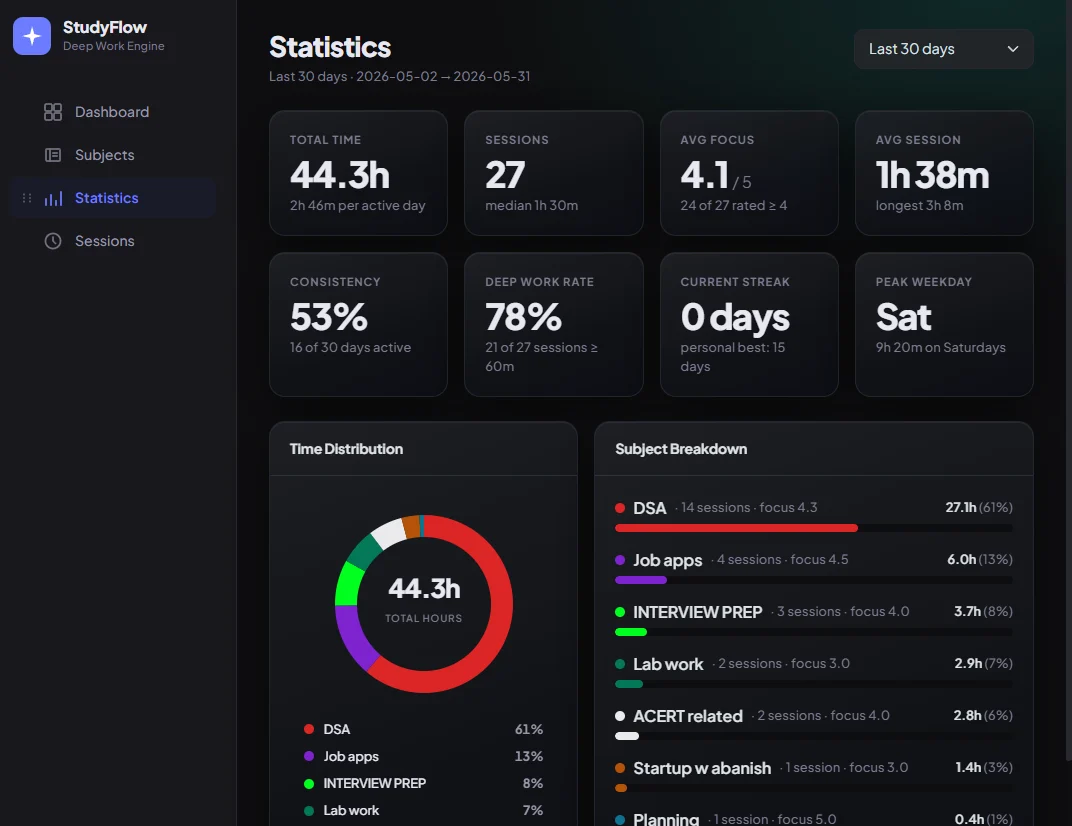
  20. StudyFlow study-session dashboard

    Fullstack

    StudyFlow

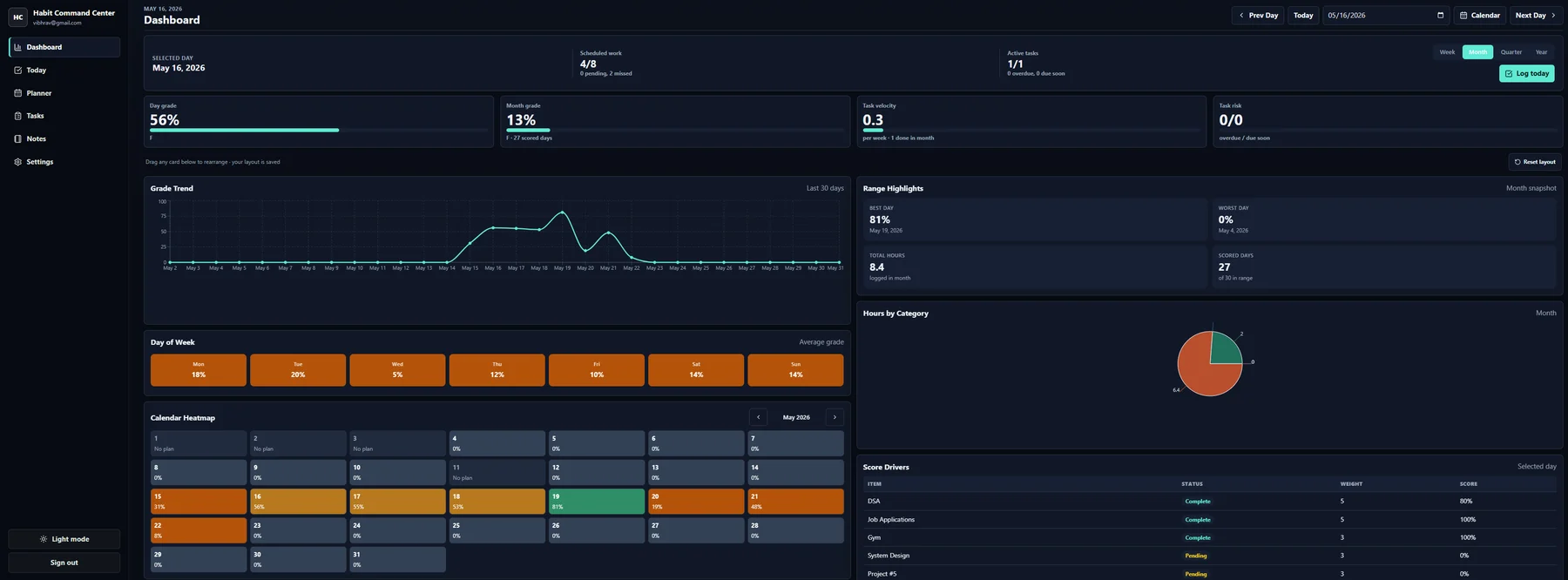
  21. Habit Command Center planning dashboard

    Fullstack

    Habit Command Center

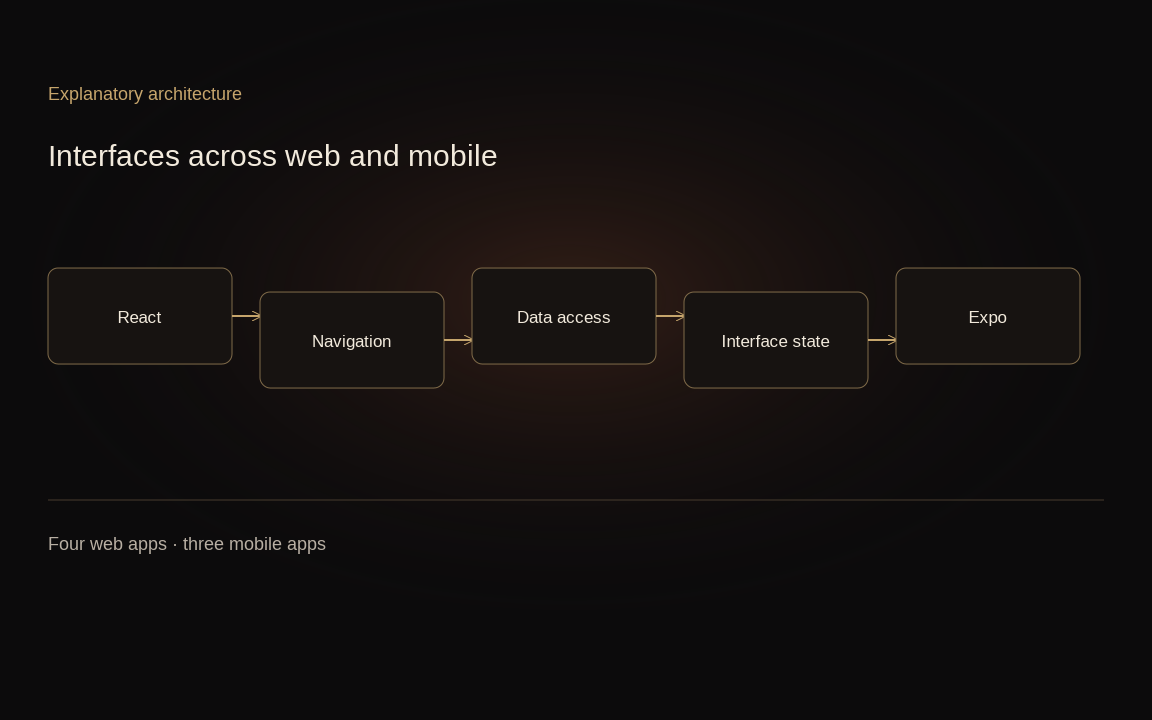
  22. Interfaces across web and mobile — explanatory architecture diagram

    Fullstack

    React Web & Mobile

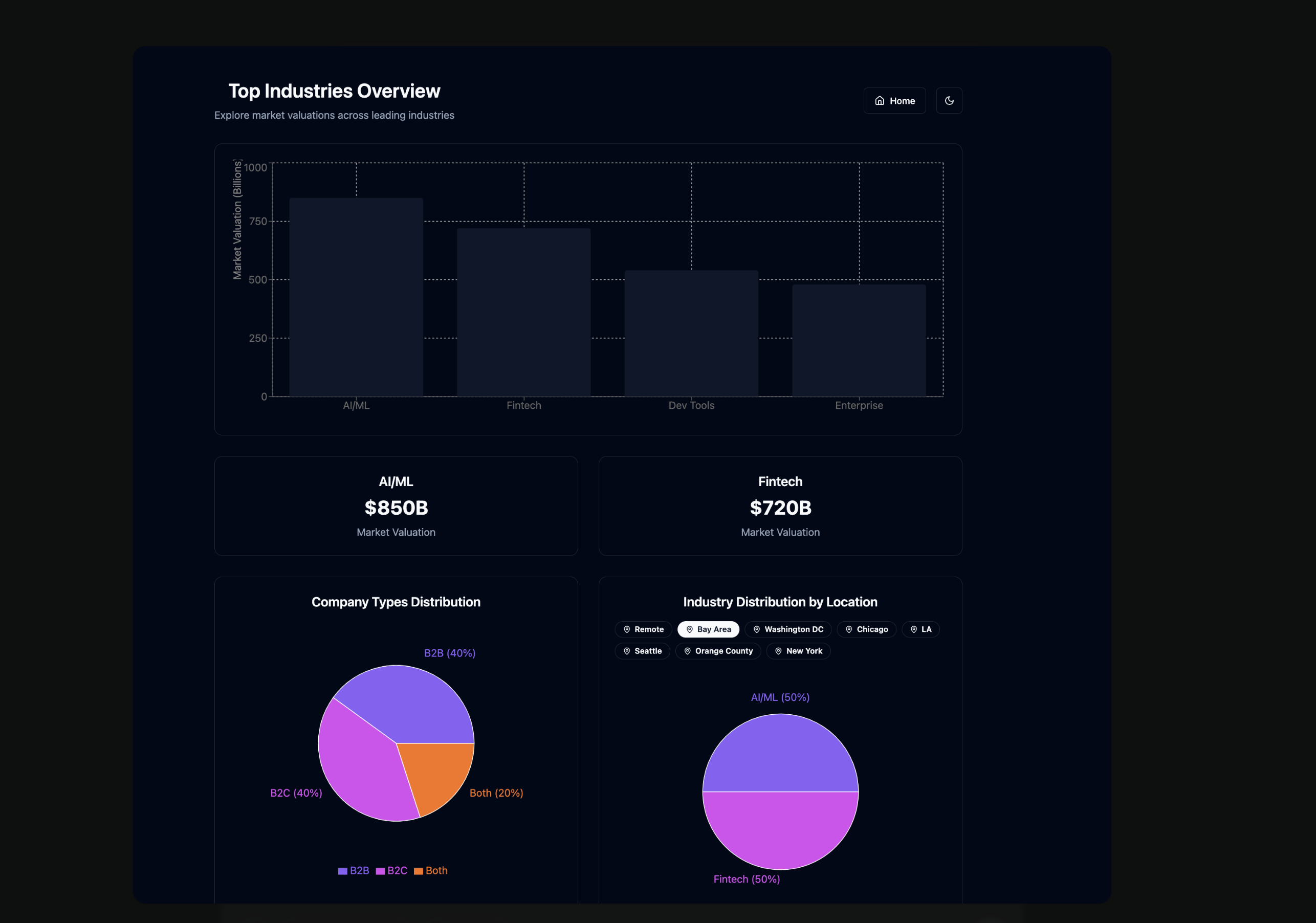
  23. Startup Scout project image

    Fullstack

    Startup Scout

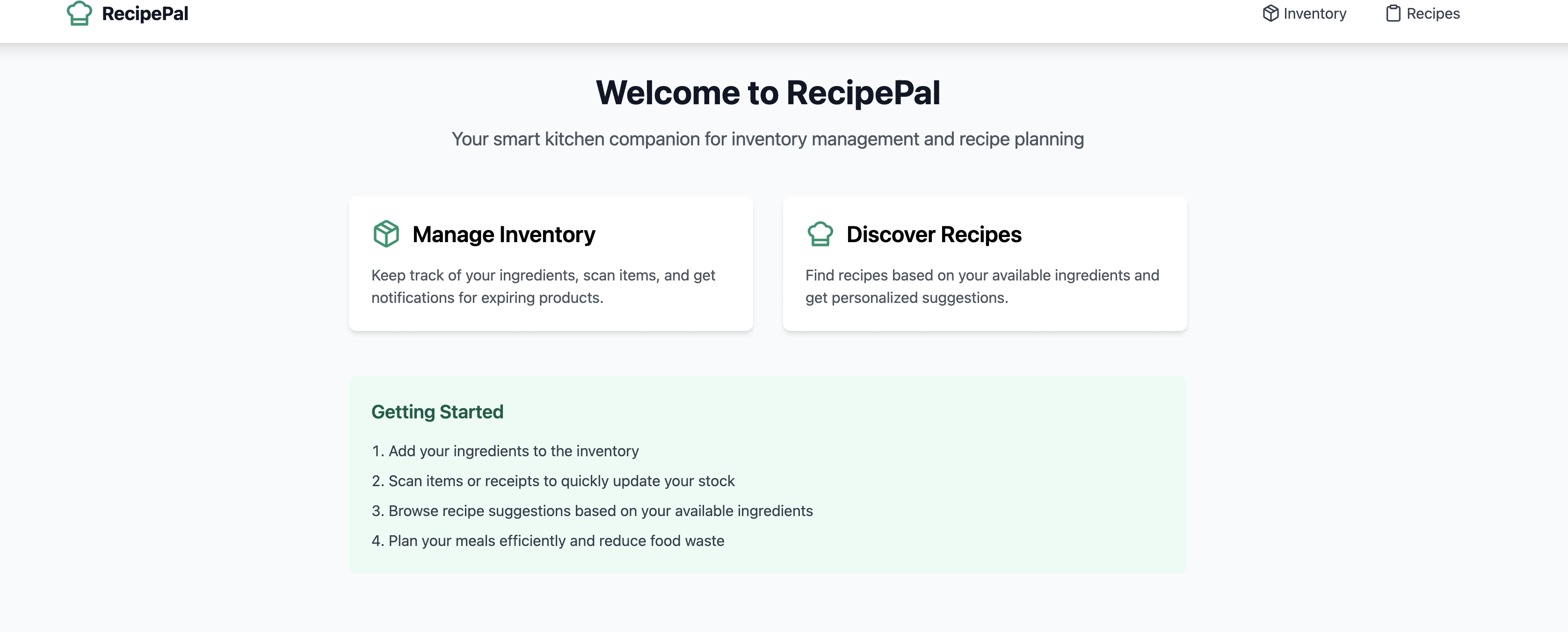
  24. Inventory-Based Recipe Planner project image

    Fullstack

    Inventory-Based Recipe Planner

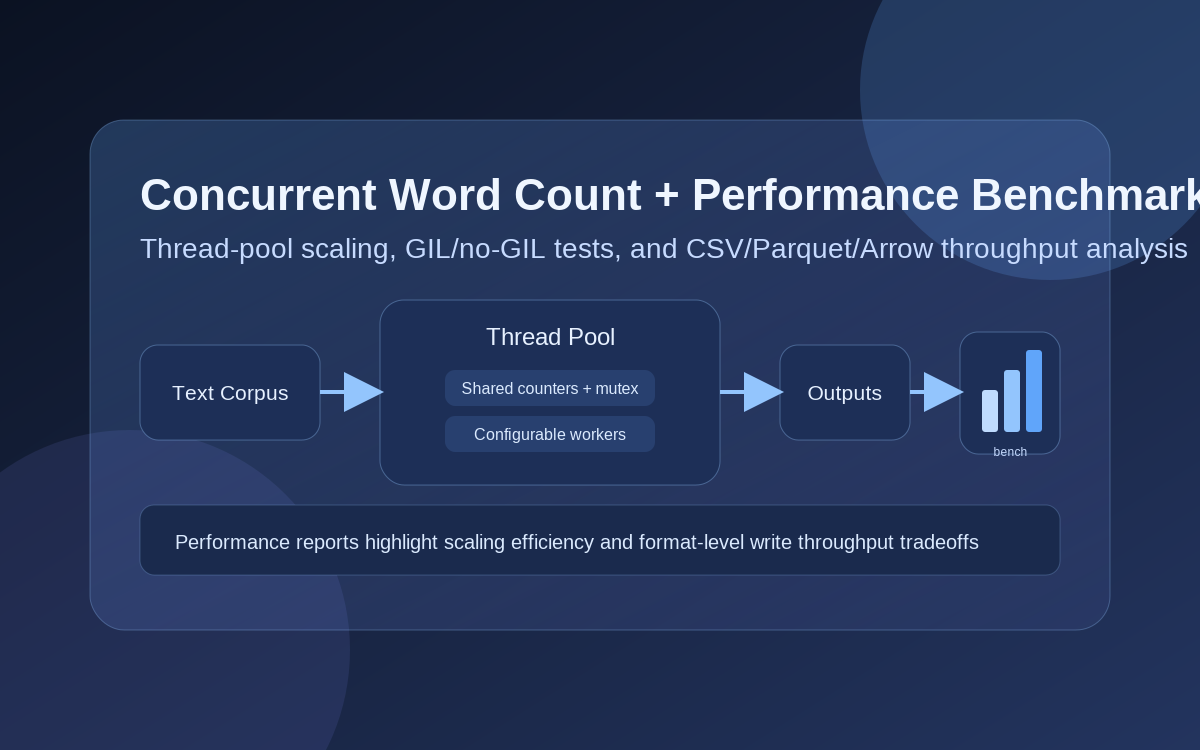
  25. Concurrent Word Count and Performance Benchmarking project image

    Data Engineering

    Concurrent Word Count

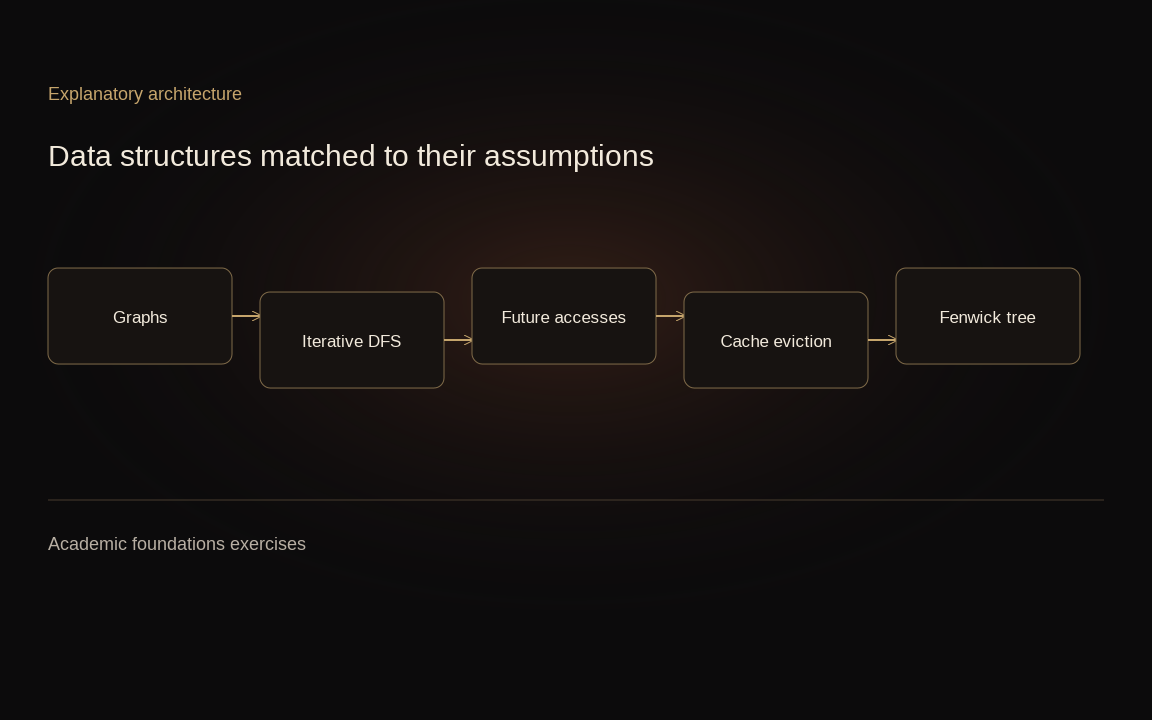
  26. Data structures matched to their assumptions — explanatory architecture diagram

    Computing Foundations

    Algorithm Design

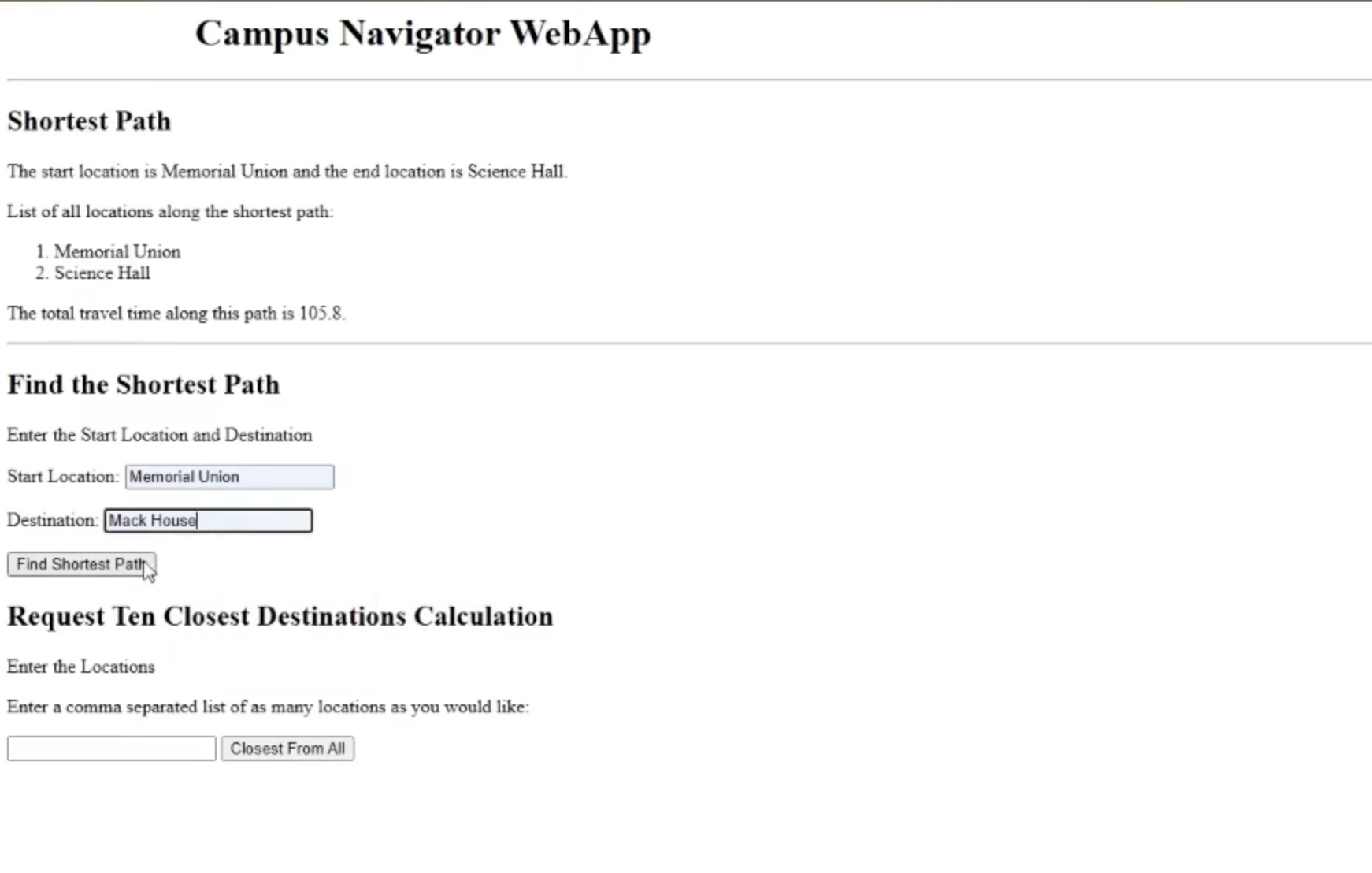
  27. Campus Navigator project image

    Fullstack

    Campus Navigator

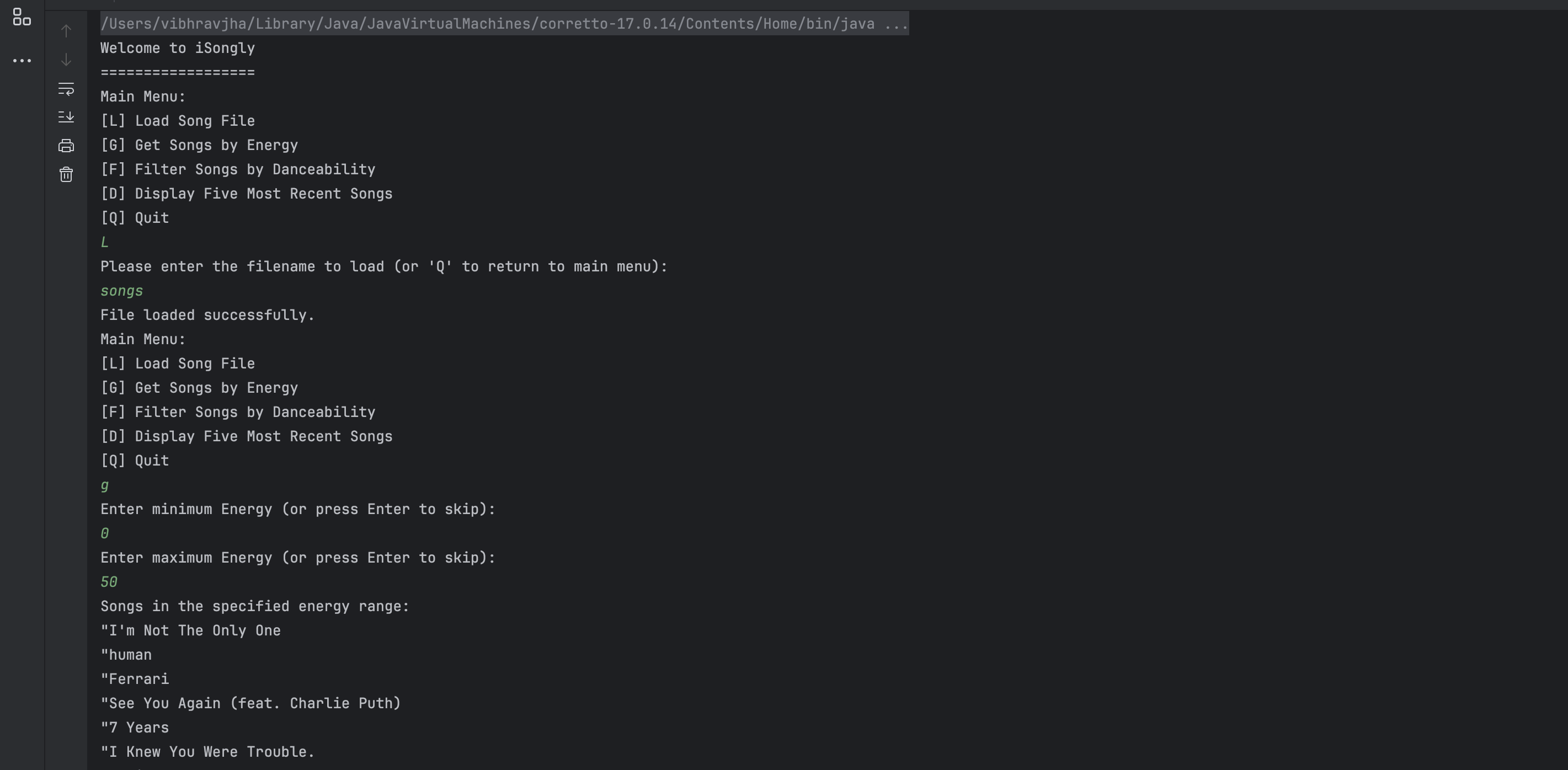
  28. i-Songly: Song Management Engine project image

    Fullstack

    i-Songly

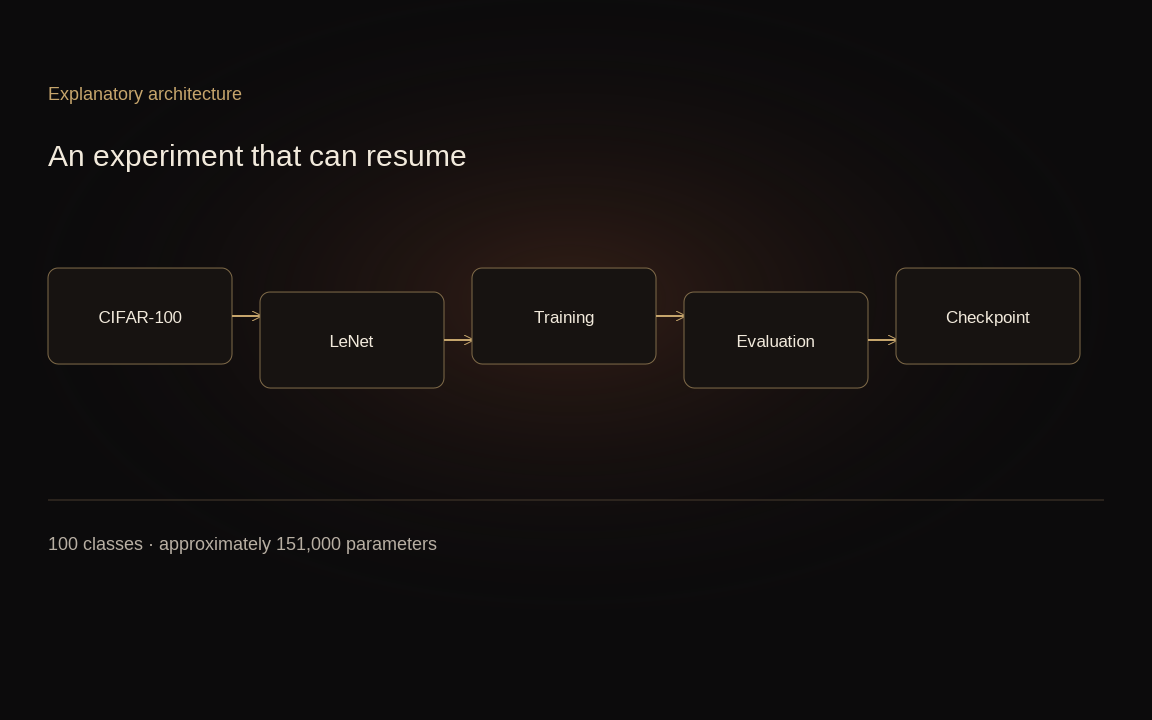
  29. An experiment that can resume — explanatory architecture diagram

    ML & AI

    CIFAR-100 with LeNet

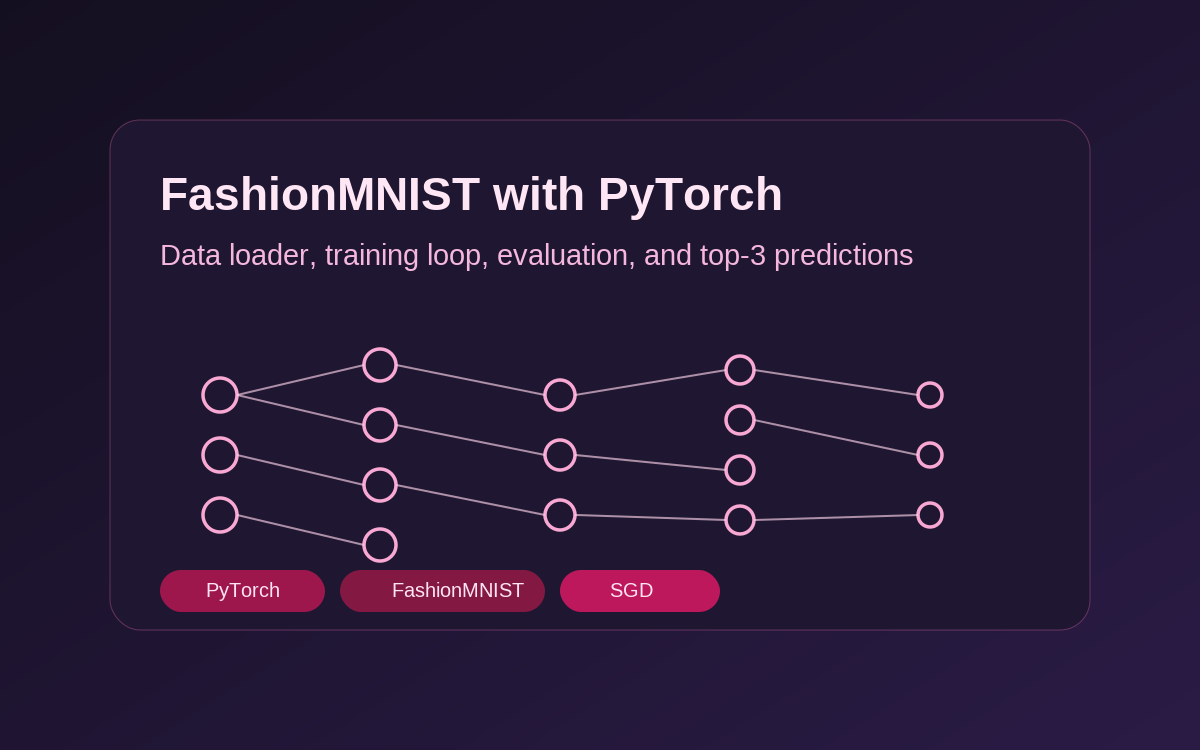
  30. Fashion-MNIST Neural Network Classifier project image

    ML & AI

    Fashion-MNIST Classifier

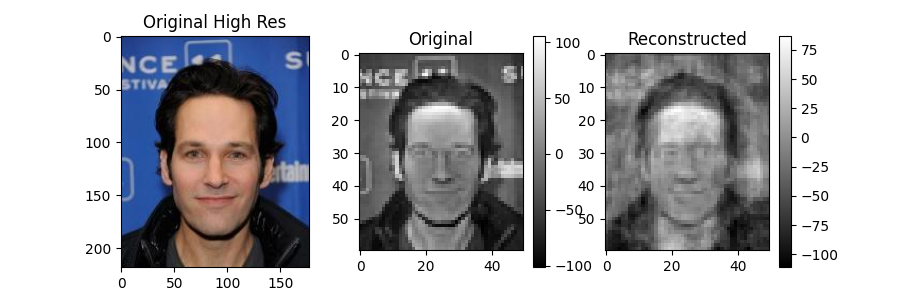
  31. PCA Eigenfaces and Image Reconstruction project image

    ML & AI

    PCA Eigenfaces

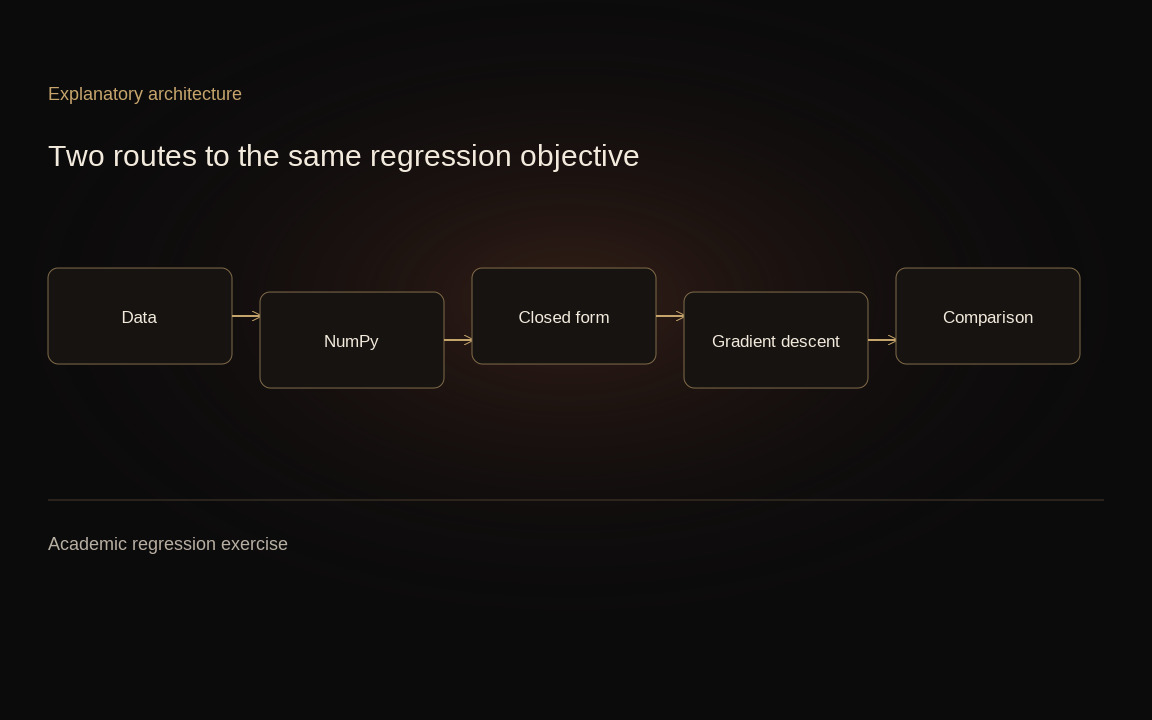
  32. Two routes to the same regression objective — explanatory architecture diagram

    ML & AI

    Lake Mendota Ice Regression

  33. Bayesian Language Detection project image

    ML & AI

    Bayesian Language Detection

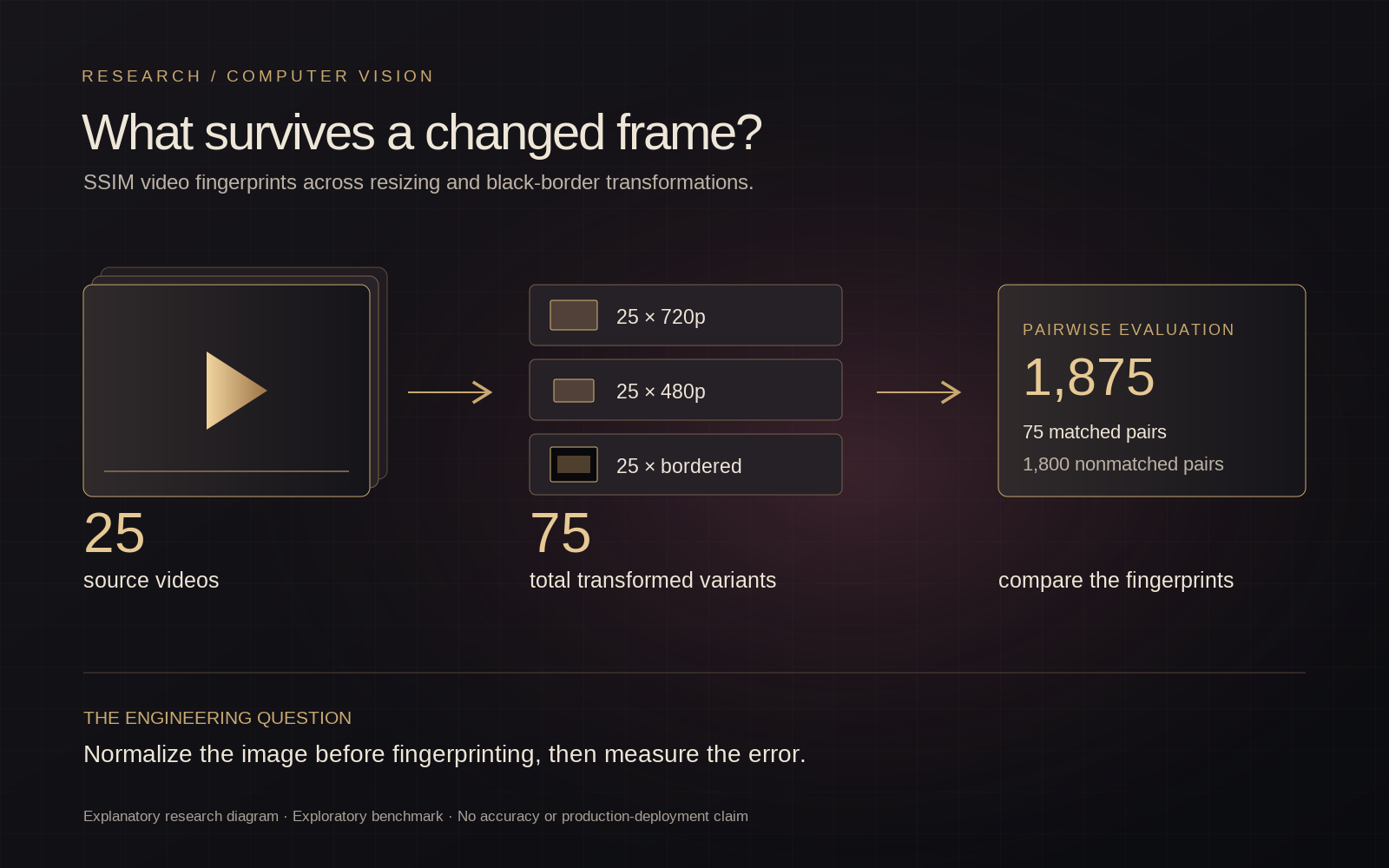
  34. Explanatory diagram of the video-fingerprint benchmark: 25 sources, 75 transformed variants and 1,875 comparisons.

    ML & AI

    Video-Fingerprint Benchmark

All projects